Control Tracks with Your Voice
Once Mackie Control is set up, Betty can select, mute, solo, and adjust your tracks. Here's everything you can do.
⚠️ Prerequisite: Mackie Control Setup
Track control requires Mackie Control to be configured in Logic Pro. If you haven't done this yet,follow the setup guide first.
Command Reference
👆Track Selection
| Say this | What happens |
|---|---|
| "Select track 3" | Selects track 3 |
| "Select the drums" | Selects the track named "Drums" |
| "Go to the bass track" | Selects the bass track |
🔇Mute & Solo
| Say this | What happens |
|---|---|
| "Mute track 5" | Mutes track 5 |
| "Unmute the vocals" | Unmutes the vocal track |
| "Solo the bass" | Solos the bass track |
| "Unsolo track 2" | Removes solo from track 2 |
| "Mute the drums and bass" | Mutes both tracks |
🎚️Volume Control
| Say this | What happens |
|---|---|
| "Set track 3 volume to -6dB" | Sets track 3 to -6dB |
| "Turn up the vocals 3dB" | Increases vocal track by 3dB |
| "Turn down the bass" | Decreases bass by a small amount |
| "Set drums to unity" | Sets drums to 0dB |
↔️Pan Control
| Say this | What happens |
|---|---|
| "Pan track 4 left" | Pans track 4 to the left |
| "Pan the guitar hard right" | Pans guitar to 100% right |
| "Center the vocals" | Pans vocals to center |
| "Pan hi-hat 30 left" | Pans hi-hat to -30 |
▶️Transport Controls
| Say this | What happens |
|---|---|
| "Play" | Starts playback |
| "Stop" | Stops playback |
| "Record" | Starts recording |
Using Track Names vs Numbers
Betty understands both track numbers and track names. After running a Deep Scan, Betty knows your track names and can match them intelligently.
By Number
Precise and fast
"Mute track 7"
By Name
Natural and intuitive
"Mute the lead vocal"
💡 Tip: Betty uses fuzzy matching, so "kick" will match "Kick Drum" or "kick_01". If multiple tracks match, Betty will ask for clarification.
Suggested Actions
When Betty recommends a mix change, she'll show a Suggested Action button. Click it to execute the command instantly.
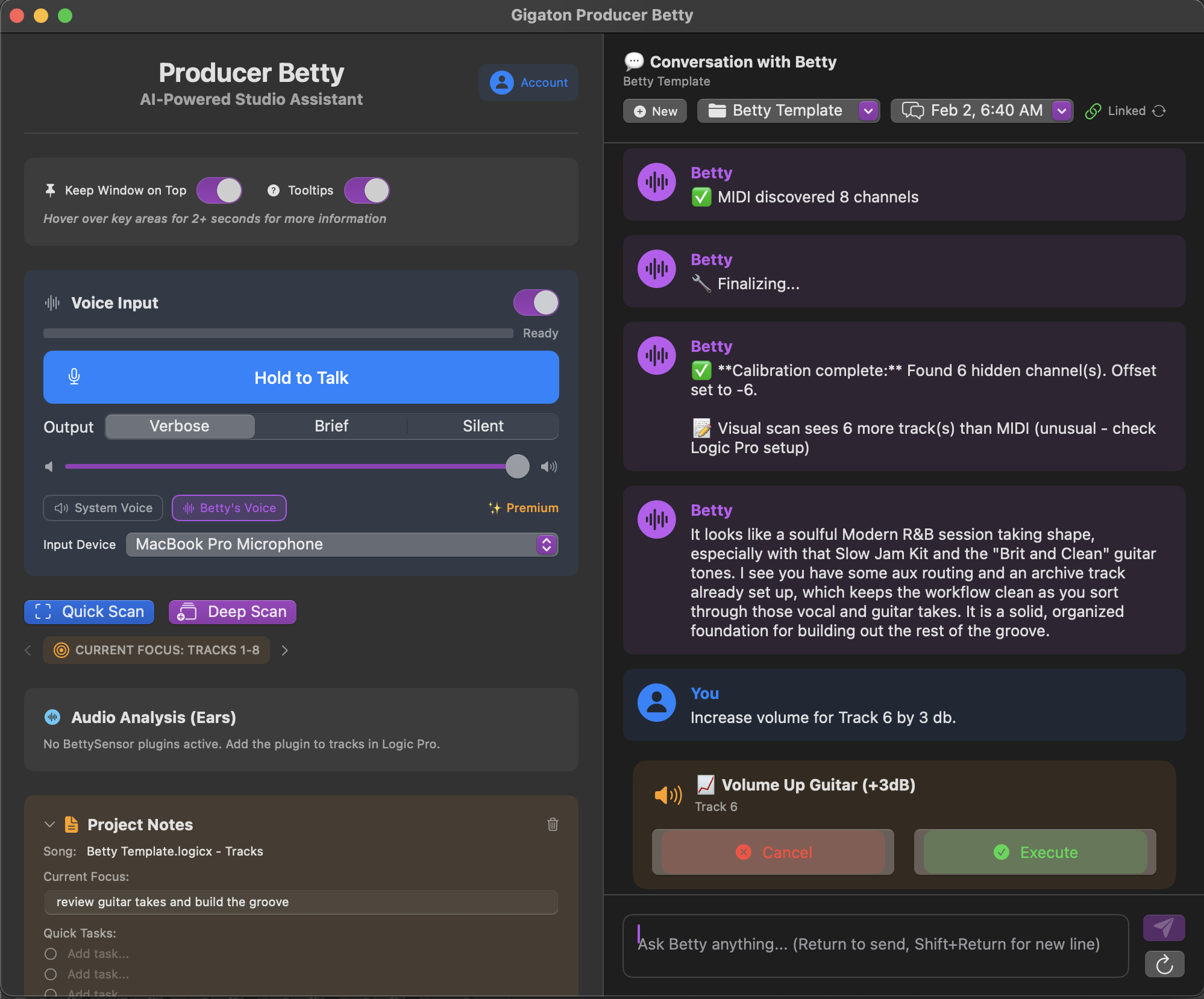
For example, if Betty says "Try bringing the bass down 2dB", you'll see a button to apply that change with one click.
Troubleshooting
"Betty selected the wrong track"
Run a Deep Scan to recalibrate track mappings. This syncs Betty's track list with Logic Pro's actual order.
"Commands aren't working at all"
Check that Mackie Control is properly configured with Betty's virtual ports. See the Mackie Control Setup guide.
"Betty doesn't know my track names"
Run a Deep Scan to capture all track names from your session. Quick Scan only updates visible tracks.