Link Sessions to Conversations
Understand how Betty automatically links your Logic Pro projects to conversations, and how to manage multiple sessions.
How Session Linking Works
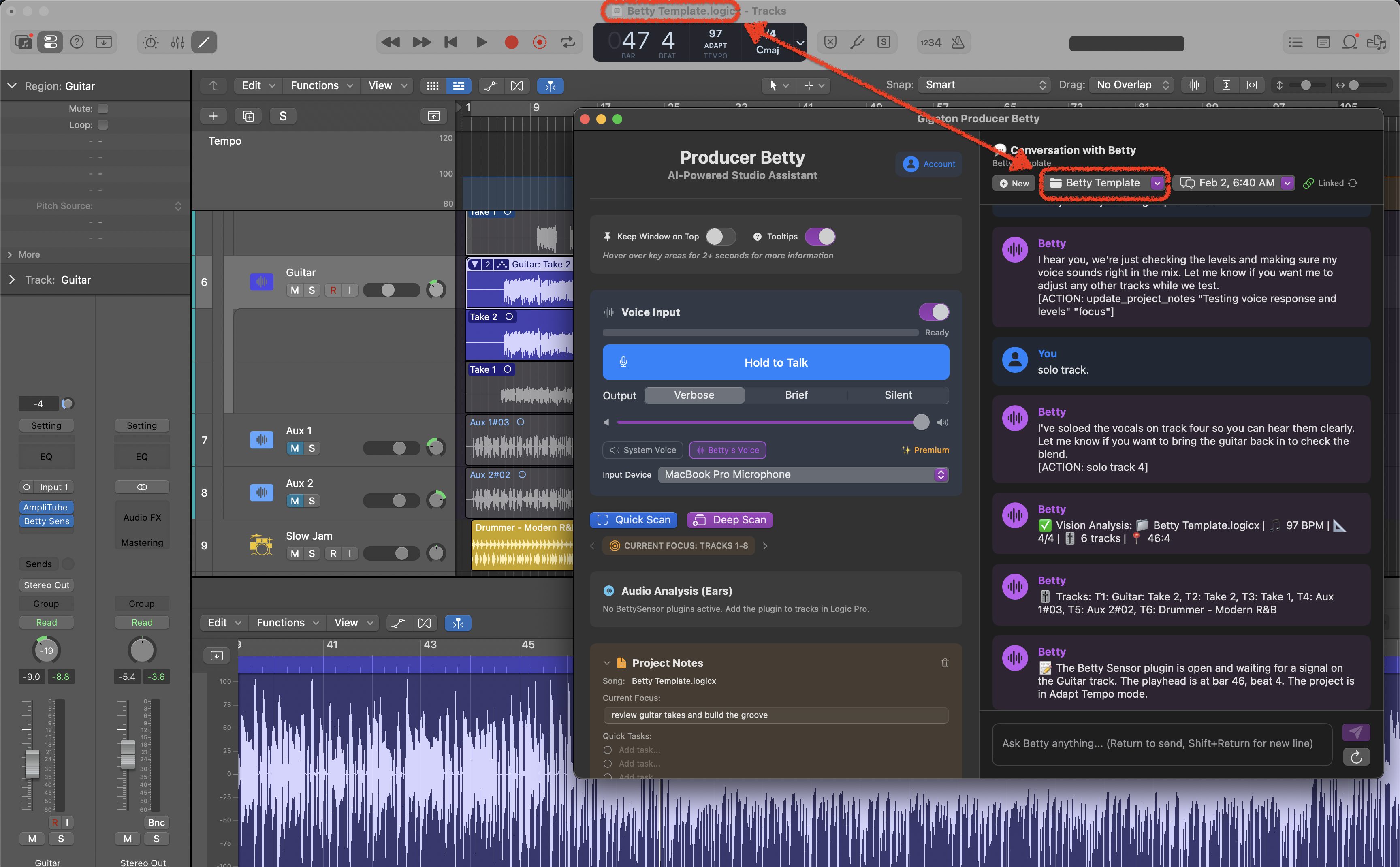
Betty automatically detects your Logic Pro project and creates a persistent link between your project and your conversation. This happens in the background—you don't need to do anything special.
🔗 Automatic Linking
- 1You open a Logic Pro project
- 2Betty detects the project name from the window title
- 3If Betty has seen this project before, she loads your previous conversation and track data
- 4If it's a new project, Betty creates a fresh session for it
The Session Selector
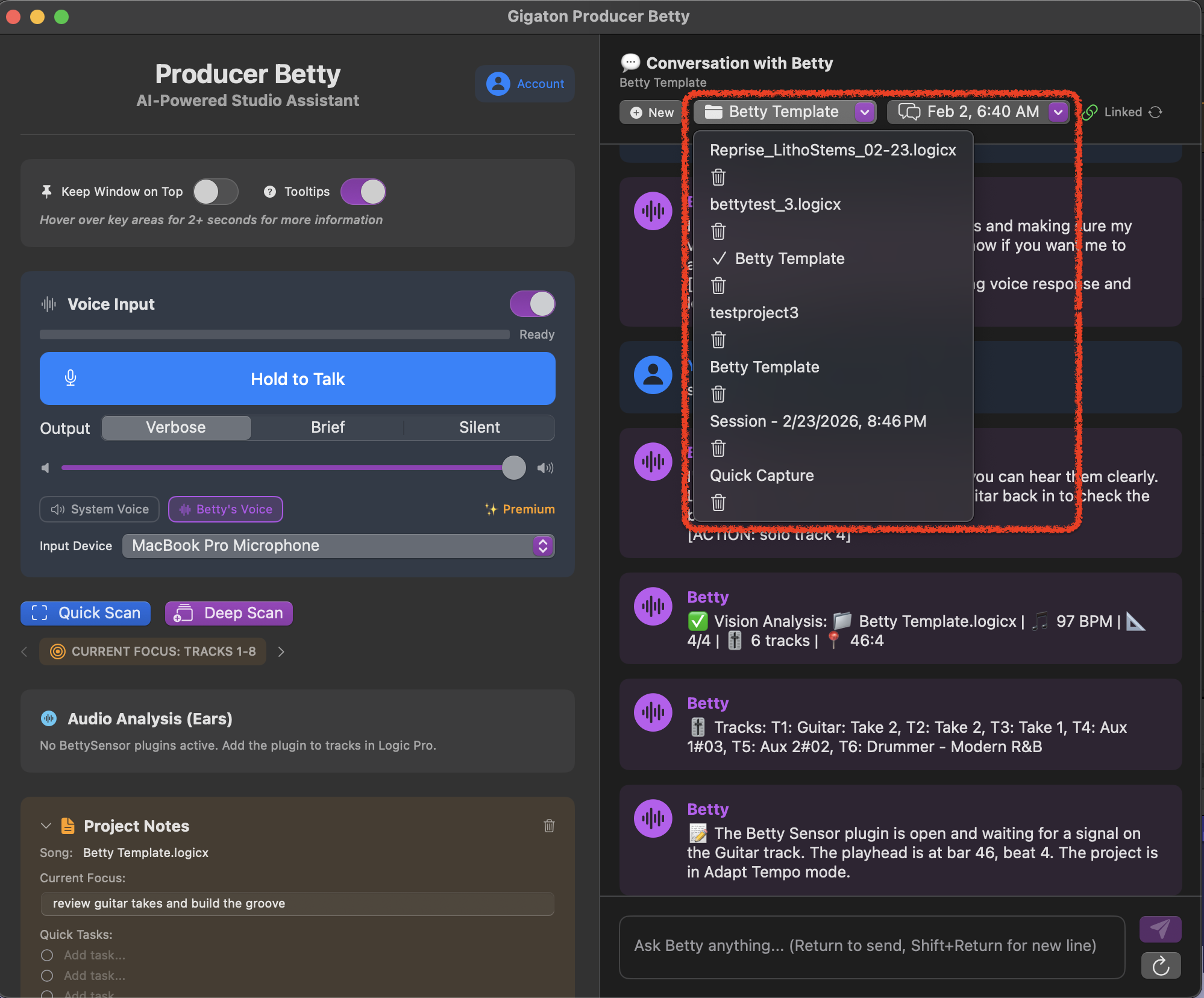
At the top of Betty's window, you'll see the current session name. Click it to see all your sessions and switch between them.
What you'll see:
- •Project name — The Logic Pro project file name
- •Last active date — When you last worked on this session
- •Track count — How many tracks Betty knows about
Multiple Conversations Per Session
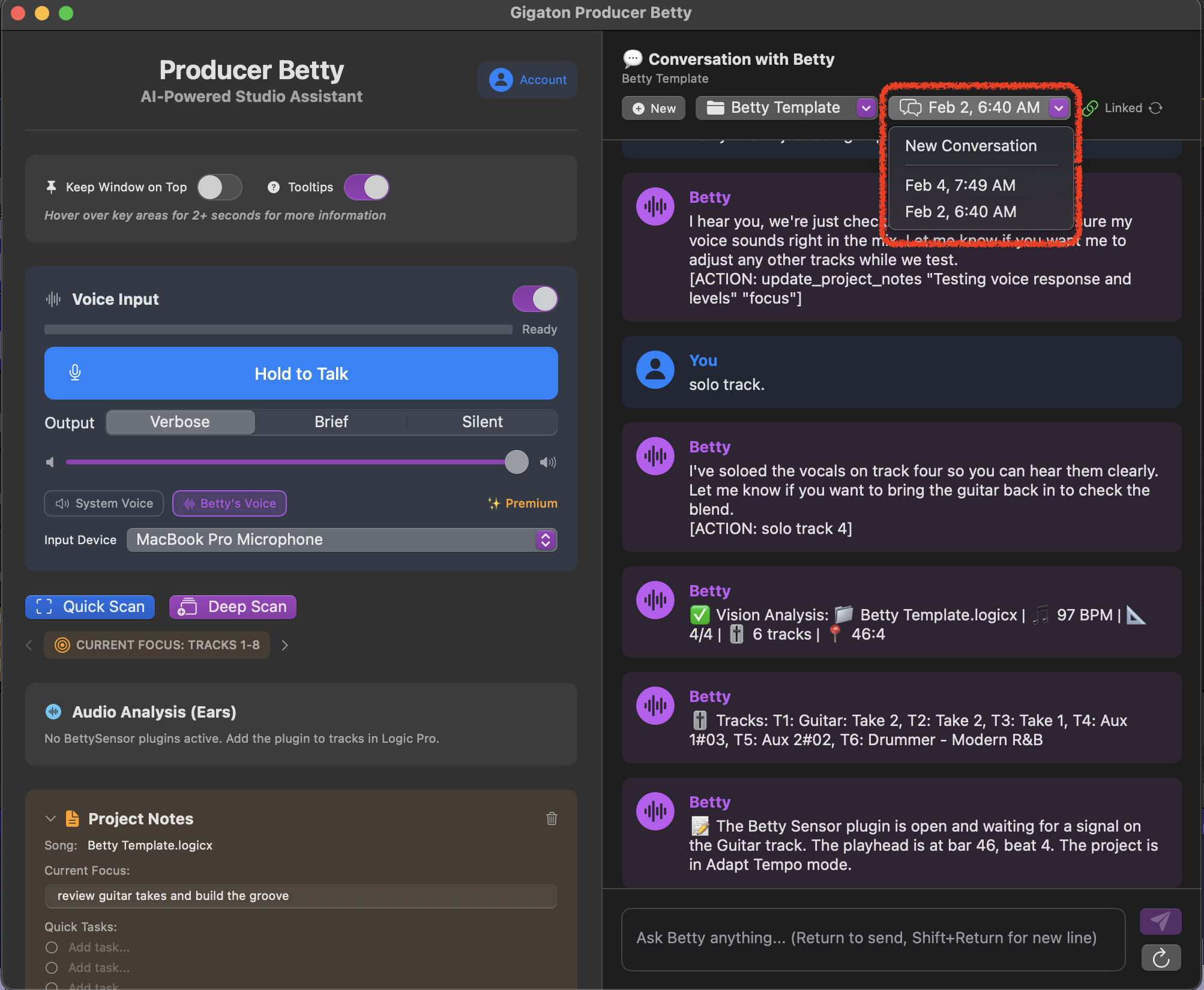
Each session can have multiple conversations. This is useful when you want to start fresh on a topic without losing your previous discussion.
New Conversation
Click the + New button to start a fresh conversation while keeping the same session context and track data.
Switch Conversations
Use the conversation list to jump back to previous discussions. Your track mappings stay the same across all conversations in a session.
Best Practices
✓Save your Logic Pro project before scanning
Betty uses the project file name for linking. Unsaved projects show as "Untitled" and won't persist properly.
✓One Logic Pro project at a time
Close other Logic Pro projects when working with Betty to prevent session crossover. Betty links to the frontmost project.
✓Run Deep Scan after major changes
If you add or remove many tracks, run a Deep Scan to update Betty's track mappings for the session.
Switching Between Projects
When you open a different Logic Pro project, Betty automatically switches to that project's session. Your previous session is saved and waiting for when you return.
💡 Pro Tip
Open your Logic Pro project before launching Betty for the smoothest experience. Betty will detect and link to the project immediately on launch.